 BlueCL
Activity records
Sensor events and profile information are handled by the application backend. These records can describe a person’s daily routine.

Liflow is a collaborative life-safety monitoring project connecting sensors, activity records and a guardian-facing interface. Weekly summaries bring event counts, common activities and changes into a readable view.
Development complete
The app workflow starts with the person and sensor configuration.
Connected sensors provide time-stamped activity events.
Read the activity records alongside the weekly summary.
Explore the interface, then open the service, source code or demo using the links above. Select an image to see it in full.
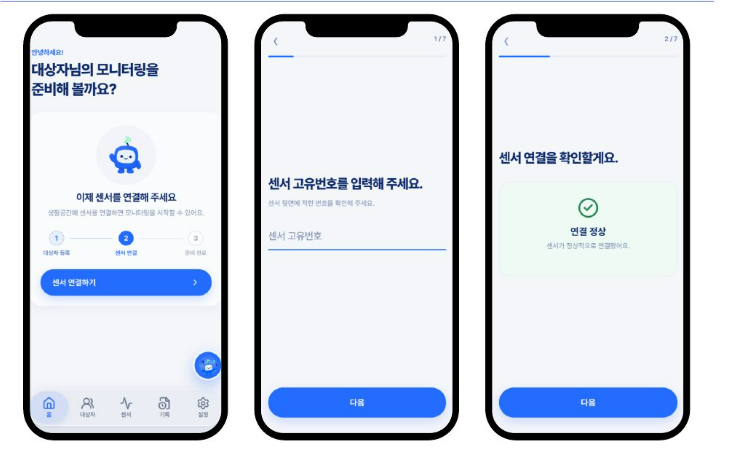
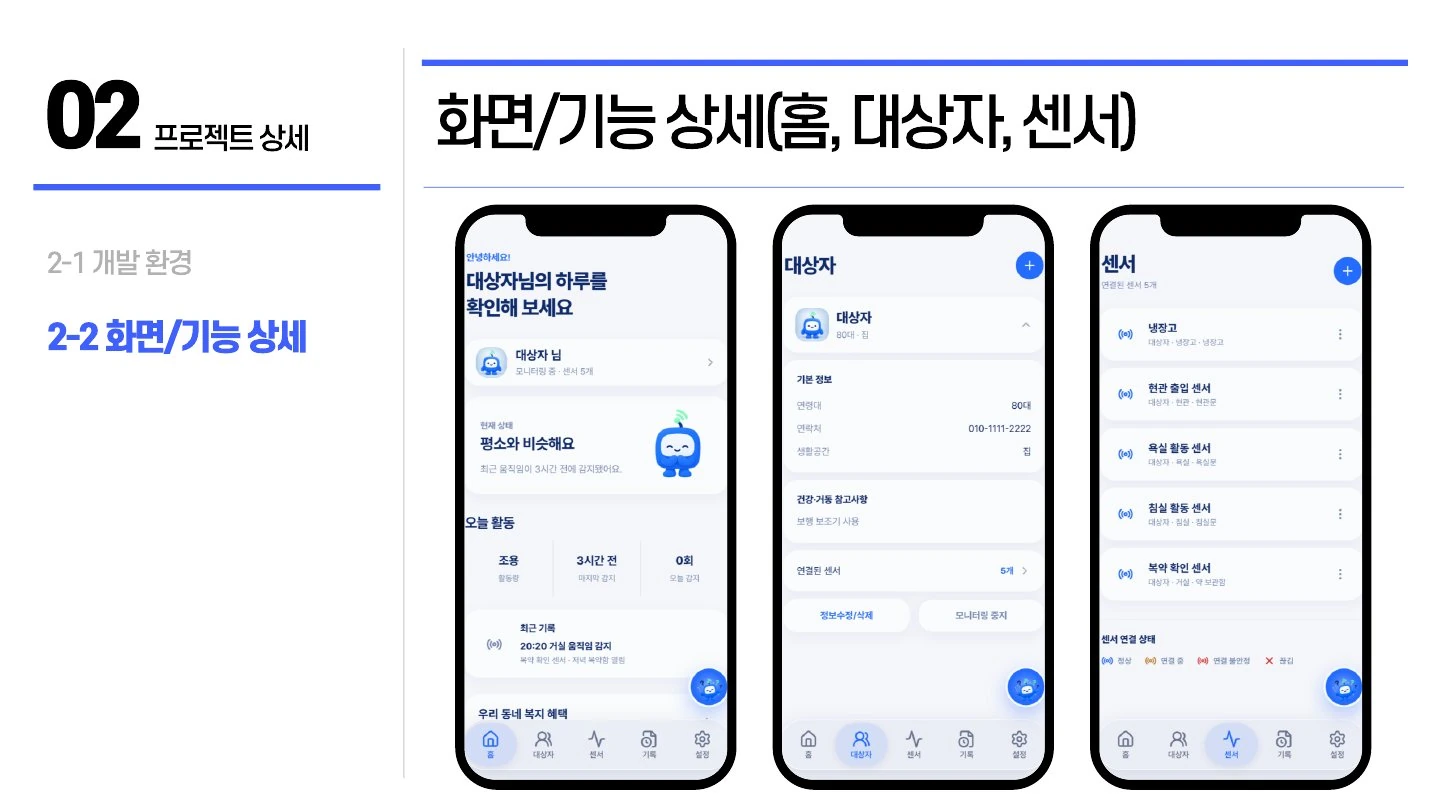
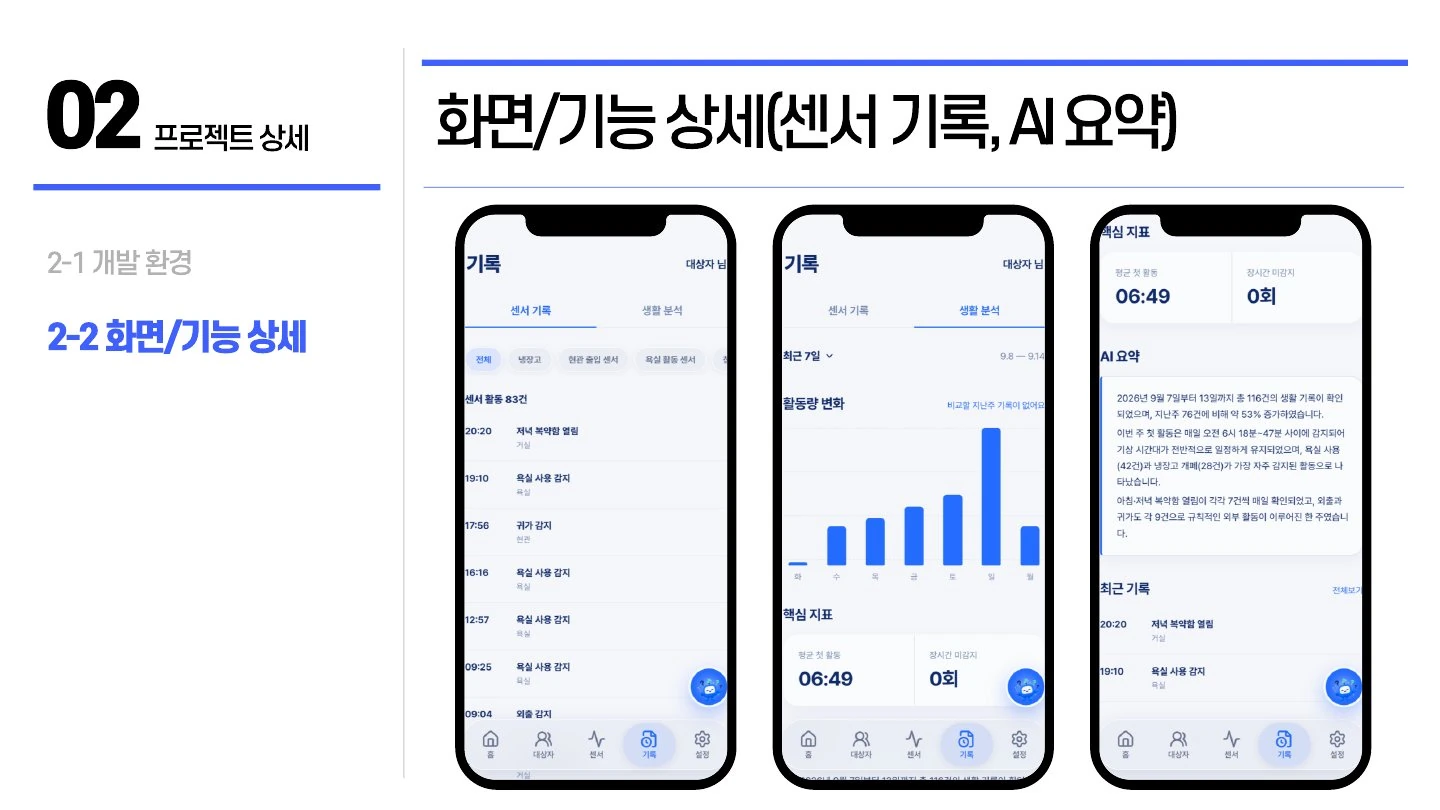
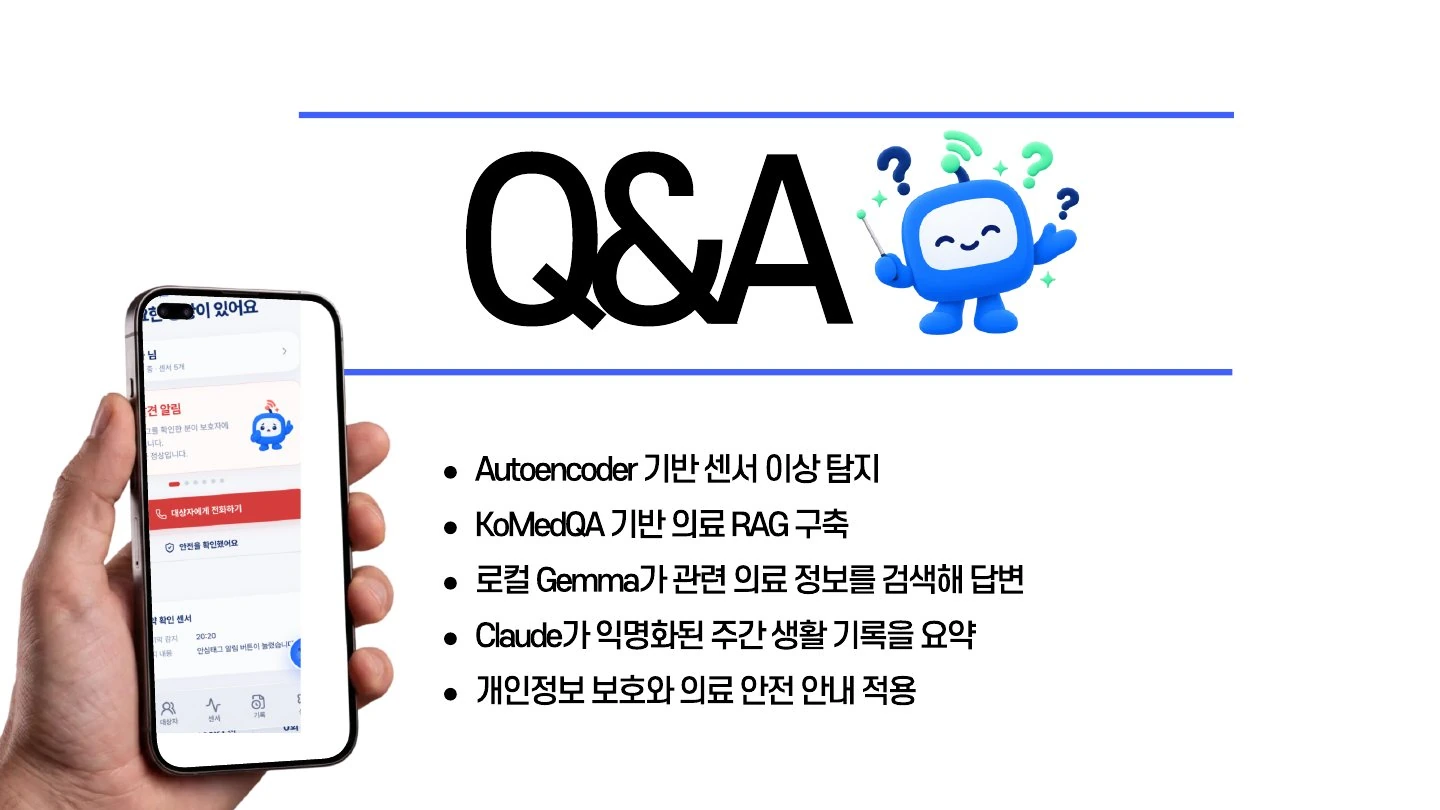
Sensor events and profile information are handled by the application backend. These records can describe a person’s daily routine.
Prepared activity counts and timing statistics are sent to the model provider. The summary describes activity records and is not a clinical assessment.
This is product usage guidance. The BlueCL website privacy notice covers this company website; consult the service’s own documentation for its deployed data handling. Website privacy ↗
A long list of sensor events is difficult to review. Guardians need an understandable view of recorded activity, including how often events occurred, common activities and changes from the previous week.
The FastAPI weekly-summary endpoint prepares seven-day activity statistics and calls Claude Sonnet 4.6 to produce two or three Korean sentences. The model summarizes recorded activity; sensor collection and event processing remain separate backend functions.
The summary cache checks the period, event count and latest event time. Empty periods return a local message without a model request. Output instructions exclude names, IDs and phone numbers and keep the summary within observed activity records.
Improve source-to-summary traceability and evaluate whether each sentence stays within the observed activity records.
This page provides the team repository and public demos. A current public app URL has not been provided.
The cache checks the period, event count and latest event time. A changed event set triggers a new summary.
An empty period returns an informational message without requesting a model summary.
Product and source information updated: October 8, 2026