 BlueCL
Business brief
The generation workflow sends the submitted brief to the configured model provider.
Web Vending Machine connects business descriptions, structured website generation, visual editing and site storage in one completed application.
Development complete
Prepare the business content and the direction for the page.
The backend maps structured model output into page fields.
Use the Puck editor to review, change and save the page.
Explore the interface, then open the service, source code or demo using the links above. Select an image to see it in full.
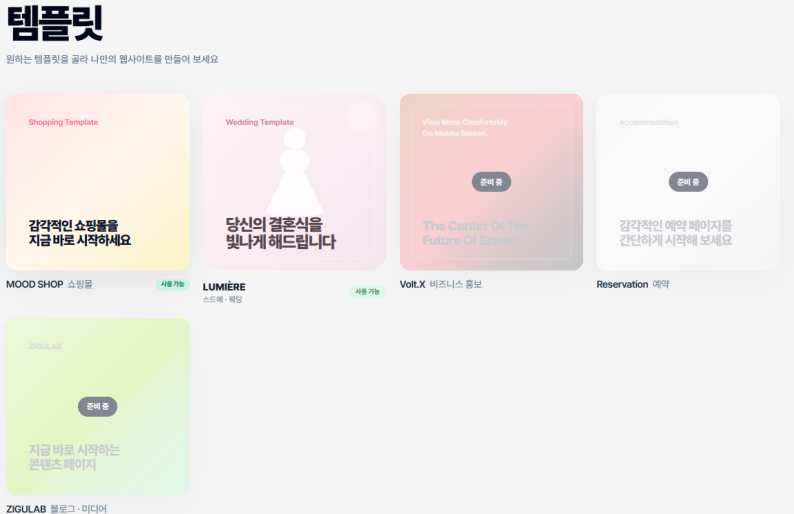
The generation workflow sends the submitted brief to the configured model provider.
The application stores editable site data so generated drafts can be reviewed and changed.
This is product usage guidance. The BlueCL website privacy notice covers this company website; consult the service’s own documentation for its deployed data handling. Website privacy ↗
Starting a website combines several jobs: writing copy, choosing a visual direction, assembling sections and editing the result. Generated text becomes useful when it can be mapped into a page that the user can keep refining.
The FastAPI generation path uses the OpenAI Responses API to request structured content. Validation maps the result into fields consumed by the React Puck editor.
The Python shopping service builds prompts, uses a response schema, caches template results and tries configured model fallbacks for eligible errors. The editor can rebuild its component data from the saved AI response or load existing Puck data. A future Claude provider would sit in the generation backend, before the same validation and editor mapping.
Introduce a Claude provider adapter and compare schema adherence and editable-content quality using the same business briefs.
Yes. The Puck editor is part of the implemented workflow.
Describe the business, desired content and visual direction. The workflow maps the generated result to editable page fields.
The source repository is linked. A public service URL has not been provided.
Product and source information updated: October 8, 2026